Buttery Desktop
The most joyful way to arrange windows on Windows
and make the most of your screen space.
Buttery DragButtery-smooth window tiling
Hold down a modifier key and drag anywhere on a window to move or resize it.
Edge latching makes it effortless to perfectly position windows next to each other, with satisfying animations!
(Hold Shift to disable the latching.)
The latching is based on cursor velocity and displacement, which gives you much more control than magnetic snapping.
Buttery TaskbarTaskbar auto-hide done right
Tired of even the slightest brush of the cursor accidentally revealing the taskbar?
Buttery Taskbar hides the taskbar until you actually want to show it by:
- applying sufficient mouse pressure.
- pressing the Windows key to open the Start menu.
- scrolling the mouse wheel at the screen edge.
You can also prevent the Windows key opening the Start menu if you so choose.
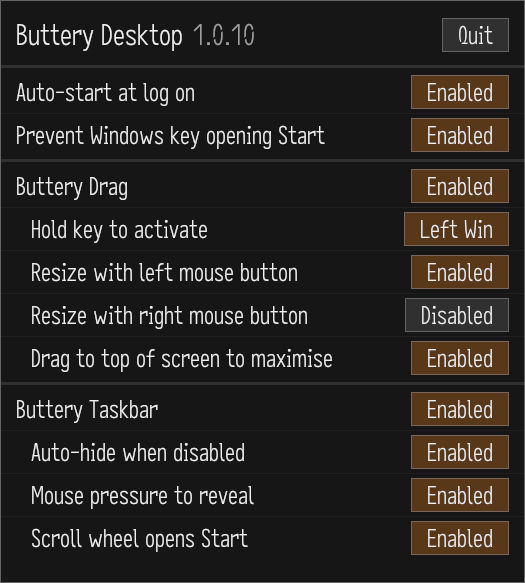
Simple and lightweight
Low CPU and memory usage.
Just a single portable exe file;
no installation necessary.
No telemetry. No bloat.
No hacky tricks like code injection or undocumented system API calls.
And more
Straightforward configuration window.
Command interface to modify settings from an external program.
Press Windows key + mouse button to quickly minimise, maximise, or close a window.

Buttery Desktop
Window management without the pain.
Try it nowFollow @CrypticButter on X for news and updates.
View the support page for docs and reporting issues.